The email problem nobody talks about
Here's a number that might make you uncomfortable: the average professional spends 28% of their workweek managing email. That's more than 11 hours every week reading, sorting, responding, and searching for that one message you know exists somewhere in your inbox.
Most productivity advice tells you to batch your email time, use folders, or achieve "inbox zero." But these approaches don't solve the fundamental problem: email is cognitively expensive. Every message requires you to context-switch, understand the situation, decide on priority, and craft an appropriate response. Multiply that by 121 emails per day (the average for business professionals), and you're running a mental marathon before lunch.
What if you could offload the heavy lifting to AI? Not just spam filtering or smart compose, but genuinely intelligent email triage that understands your work context, prioritizes what matters, and drafts responses that sound like you wrote them?
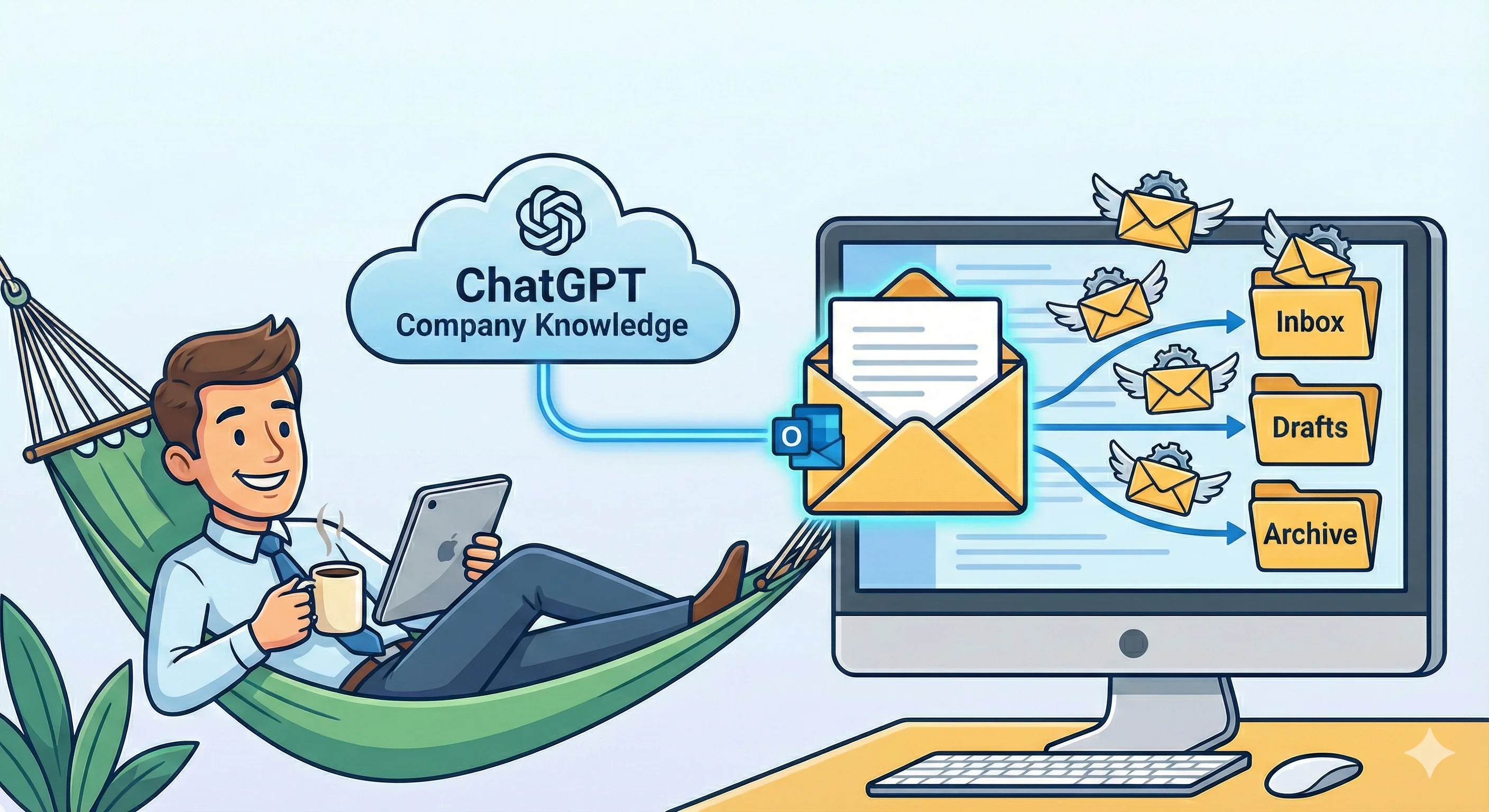
That's exactly what becomes possible when you connect ChatGPT to your email through the Company Knowledge feature.
Why this changes everything
ChatGPT's email connectors for Outlook and Gmail aren't just another integration. When combined with Company Knowledge, you're giving ChatGPT the ability to understand your emails in the context of your actual work. It can cross-reference that project update email with the related documents in SharePoint, connect a client question to previous conversations in your inbox, and understand that "the Johnson proposal" refers to the Q1 deal you've been working on.
This contextual awareness transforms email management from a reactive chore into a proactive system. Instead of spending 30 minutes catching up on emails each morning, you can ask ChatGPT to give you a prioritized briefing in 30 seconds. Instead of re-reading a 47-message thread to find the current status, you can get a concise summary with action items extracted.
The time savings compound throughout your day. But more importantly, you preserve mental energy for the work that actually requires your unique human judgment.
Setting up your email connector
Getting started is straightforward. The connectors work with both personal accounts and enterprise configurations, though your organization's IT policies may affect what's available to you.
Step 1: Access your connector settings
ACTION
- Open ChatGPT and click on your profile icon in the bottom left
- Select Settings
- Navigate to Apps & Connectors
- Find Outlook Email or Gmail in the available connectors list
Step 2: Authenticate your email account
When you select your email connector, you'll be prompted to sign in with your Microsoft or Google account. This uses OAuth, meaning ChatGPT never sees your password—it receives a secure token that grants read access to your mailbox.
IMPORTANT
- The Outlook connector provides read-only access—it cannot send, delete, or modify emails
- Your existing company permissions are respected, so ChatGPT only sees what you can already see
- Enterprise users may need admin approval before connectors become available
- You can disconnect the connector at any time from the same settings menu
Step 3: Enable Company Knowledge (for business users)
If you're on ChatGPT Business, Enterprise, or Edu, you can take this further by enabling Company Knowledge. This allows ChatGPT to pull context from multiple connected apps simultaneously—your email, calendar, documents, and project tools all become part of the conversation.
ACTION
- Start a new chat in ChatGPT
- Look for Company knowledge below the message composer
- Click to enable it for this conversation
- Connect any additional apps you want ChatGPT to reference (Google Drive, SharePoint, Slack, etc.)
Once enabled, ChatGPT will automatically search across your connected sources when relevant. You can watch the sidebar to see exactly what information it's pulling and how it's using it to formulate responses.
Building your daily email triage prompt
The real power emerges when you create a reusable prompt template for your daily email workflow. Think of this as programming ChatGPT to be your personal email assistant with specific instructions tailored to how you work.
Here's the approach: create a parameterized prompt that you can run each morning (or multiple times per day) that scans your inbox, prioritizes messages, extracts action items, and generates draft responses for the most important emails.
The core triage prompt template
Start with this foundational prompt and customize it for your specific role and priorities:
PROMPT TEMPLATE
Scan my [Outlook/Gmail] inbox for emails received in the last [TIME PERIOD].

Analyze each message and categorize into these priority levels:

URGENT (respond today):
- Emails from [SPECIFIC PEOPLE: my manager, direct reports, key clients]
- Messages containing keywords: [deadline, urgent, ASAP, blocking, escalation]
- Anything requiring a decision or approval from me

HIGH PRIORITY (respond within 48 hours):
- Project updates from [SPECIFIC PROJECTS/TEAMS]
- Client communications
- Meeting requests that require preparation

MEDIUM PRIORITY (this week):
- FYI messages that need acknowledgment
- Newsletter or updates I should read
- Non-urgent requests

LOW PRIORITY (batch process or skip):
- Automated notifications
- CC'd messages not requiring action
- Marketing emails

For each email, provide:
1. Sender and subject
2. One-sentence summary of what they need
3. Recommended action (reply, forward, schedule meeting, archive)
4. Time estimate to handle

For URGENT items only, draft a response I can review and send.
Customizing for your role
The prompt above is a starting point. The magic happens when you tailor it to your specific context. Here are examples for different roles:
Example 1: Manager leading a project team
SCENARIO: You manage a team of eight people across two projects and need to stay on top of blockers without getting buried in status updates.
PROMPT
Review my Outlook inbox from the last 24 hours.

HIGHEST PRIORITY - Flag immediately:
- Any email mentioning "blocked," "risk," "delay," or "escalation"
- Messages from Sarah Chen, Michael Torres, or anyone on the Platform team
- Anything related to the Q1 Launch or Infrastructure Migration projects

NEEDS MY INPUT:
- Requests for approval or sign-off
- Questions only I can answer
- Meeting invites requiring preparation

TEAM UPDATES (summarize, don't list individually):
- Consolidate status updates from my direct reports
- Group by project

SKIP OR DELEGATE:
- Automated JIRA notifications (unless they mention blockers)
- HR announcements
- Vendor marketing emails

Give me a 2-minute briefing I can read while drinking my coffee. For any blockers, draft a response asking for more context about impact and timeline.
WHAT YOU GET
Good morning! Here's your email briefing:

🚨 IMMEDIATE ATTENTION (2 items)

1. From: Sarah Chen | Subject: API Integration Blocked
   Need: Third-party vendor hasn't delivered credentials;
   team can't proceed with testing
   Action: Escalate to vendor contact, ~10 min

2. From: Michael Torres | Subject: Re: Q1 Launch Timeline
   Need: Requesting scope change approval for Phase 2
   Action: Review proposal and decide, ~15 min

📋 NEEDS YOUR INPUT (3 items)

- Budget reallocation request from Finance (due Friday)
- Interview panel scheduling for Sr. Developer role
- Vendor contract renewal - legal wants your sign-off

📊 TEAM UPDATE SUMMARY
Platform team: 4 status updates, all green. Sprint on track.
Infrastructure team: 2 updates. Migration 80% complete,
minor DNS issue being resolved.

DRAFT RESPONSE for Sarah's blocker:

"Hi Sarah, thanks for flagging this. Can you send me:
1. The vendor contact you've been working with
2. When credentials were originally promised
3. Impact to our testing timeline if delayed another week

I'll escalate directly to their account manager today.
Let me know if there's anything else blocking the team."
Time saved: Instead of scanning 40+ emails individually, you get the critical information in 60 seconds with a ready-to-send response.
Example 2: Account manager handling multiple clients
SCENARIO: You manage relationships with 15 clients and need to ensure no important request falls through the cracks while avoiding getting pulled into every minor question.
PROMPT
Search my Gmail for client emails from the past 48 hours.

Priority sorting:
1. REVENUE IMPACT: Mentions of contracts, renewals, cancellation,
   budget, or pricing
2. ESCALATIONS: Frustrated language, complaints, requests
   for manager contact
3. DECISION NEEDED: Proposals pending approval, timeline
   questions, scope changes
4. RELATIONSHIP BUILDING: Thank you notes, positive feedback,
   meeting requests
5. ROUTINE: Status questions, minor support issues
   (flag for support team)

For each client email:
- Client name and company
- What they actually need (cut through the pleasantries)
- Sentiment (positive/neutral/frustrated)
- Suggested response approach

Draft responses for items in categories 1-3.
Keep tone warm but professional. Reference our relationship
history when relevant.

Also: Are there any clients I haven't heard from in over
2 weeks who usually communicate frequently? Flag these
for proactive outreach.
WHAT YOU GET
CLIENT EMAIL SUMMARY - 48 Hours

💰 REVENUE IMPACT (1 item)
Acme Corp - Jennifer Walsh
Need: Requesting pricing for additional 50 user licenses
Sentiment: Positive - they're expanding!
Action: Send tiered pricing options, mention volume discount

📢 ESCALATION (1 item)
TechFlow Inc - David Kim
Need: Third support ticket this month about reporting lag
Sentiment: Frustrated - "beginning to affect our operations"
Action: Escalate to engineering, schedule call to rebuild trust

⚡ DECISION NEEDED (2 items)
1. Pinnacle Group wants to extend pilot another 30 days
2. Brightside LLC asking if we can match competitor pricing

💚 RELATIONSHIP BUILDING
- Thank you note from Martinez Co. (reply with gratitude)
- Sarah at Nexus wants coffee when you're in Chicago next month

⚠️ UNUSUALLY QUIET
Haven't heard from GlobalTech (James Morrison) in 18 days.
They typically email weekly. Consider checking in.

---

DRAFT for Acme Corp pricing request:

"Hi Jennifer,

Great to hear Acme is growing! Happy to help with the expansion.

For 50 additional licenses, here are your options:
- Standard tier: $XX/user/month
- Annual commitment: $XX/user/month (15% savings)

Given your current 200-seat deployment, you'd also qualify
for our enterprise volume discount. Want me to put together
a custom proposal?

Let me know what works best,
[Your name]"
Example 3: Executive with limited email time
SCENARIO: You have 15 minutes between meetings to process email. You need the absolute essentials, nothing else.
PROMPT
I have 15 minutes. Scan my inbox since yesterday 5pm.

Give me ONLY:
1. Anything from the CEO, CFO, or board members
2. Issues that will cost money or reputation if ignored today
3. Decisions only I can make

For everything else, tell me:
- How many emails I can safely ignore
- Anything my EA should handle
- What can wait until tomorrow

For the items I must handle: draft responses that are
brief, clear, and actionable. I write in short sentences.
I don't do pleasantries in internal emails.

Format: Give me a numbered list I can work through
top to bottom. Estimated time per item.
WHAT YOU GET
15-MINUTE EMAIL SPRINT

YOUR ACTION REQUIRED (12 min total):

1. CFO asking for your input on Q2 forecast assumptions
   (5 min) - Draft attached

2. Legal needs approval to proceed with vendor termination
   (2 min) - One-click approval, draft attached

3. PR crisis: Customer complaint going viral on LinkedIn
   (5 min) - Need your eyes on response before it goes out

DELEGATE TO EA:
- 4 meeting reschedule requests
- Travel booking confirmation needed
- 2 interview scheduling emails

SAFE TO IGNORE:
- 23 emails: newsletters, CC'd threads, FYI updates

CAN WAIT UNTIL TOMORROW:
- Performance review feedback (due Friday)
- Budget variance explanations from dept heads

---

DRAFT for CFO:

"Assumptions look reasonable. Two flags:

1. Revenue projection assumes deal closes by March 15.
   Sales says 50/50. Model the downside.

2. Headcount plan doesn't include the Platform team hire
   we discussed. Add it.

Send revised by Thursday EOD."
Conquering long email threads
Few things drain mental energy faster than opening an email thread with 47 messages and trying to figure out what's actually happening. This is where ChatGPT's email integration truly shines.
Example 4: Getting up to speed on a complex project
SCENARIO: You've been added to a project that's been running for three months. There are dozens of email threads, and you need to get productive fast without asking your new colleagues to repeat everything.
PROMPT
Search my Outlook for all emails related to "Project Phoenix"
or from the Phoenix team distribution list from the past 90 days.

Create a comprehensive briefing document that covers:

1. PROJECT OVERVIEW
   - What is this project trying to accomplish?
   - Who are the key stakeholders and their roles?
   - What's the timeline and current phase?

2. KEY DECISIONS MADE
   - Major decisions and who made them
   - Any decisions that were reversed or revisited
   - Outstanding decisions still pending

3. CURRENT STATUS
   - What's working well?
   - What are the active risks or blockers?
   - What's the next major milestone?

4. POLITICAL LANDSCAPE
   - Any tensions or disagreements I should be aware of?
   - Who are the champions vs. skeptics?
   - Sensitive topics I should approach carefully?

5. VOCABULARY
   - Project-specific terms or acronyms I need to know
   - Internal names for systems or processes

Format this as a document I could reference during meetings.
Include specific email references for key points so I can
dig deeper if needed.
WHAT YOU GET
PROJECT PHOENIX BRIEFING DOCUMENT
Compiled from 89 emails across 23 threads

━━━━━━━━━━━━━━━━━━━━━━━━━━━━━━━━━━━━━━━━━

1. PROJECT OVERVIEW

Objective: Migrate customer data platform from legacy Oracle
system to cloud-native architecture. Expected to reduce
operational costs by 40% and enable real-time analytics.

Key Stakeholders:
- Executive Sponsor: Maria Santos (CTO)
- Project Lead: Kevin O'Brien
- Technical Lead: Aisha Patel
- Business Owner: Thomas Reid (VP Sales)
- Main skeptic: Finance (concerns about cloud costs)

Timeline:
- Kickoff: September 15
- Phase 1 (Assessment): Complete
- Phase 2 (Migration): Current - 60% complete
- Phase 3 (Validation): Starts Feb 1
- Go-live target: March 31

━━━━━━━━━━━━━━━━━━━━━━━━━━━━━━━━━━━━━━━━━

2. KEY DECISIONS

DECIDED:
✓ AWS selected over Azure (Oct 12, email from Kevin)
✓ Phased migration vs. big bang (Oct 28, Maria's call)
✓ Keep Oracle license through June as fallback

REVERSED:
⟲ Original plan to migrate reporting first was changed
  to customer-facing systems first after Sales pushed back
  (Nov 15 thread - Thomas was emphatic about this)

PENDING:
? Data retention policy for legacy system (Legal reviewing)
? Go-live date may slip - discussed but not formally decided

━━━━━━━━━━━━━━━━━━━━━━━━━━━━━━━━━━━━━━━━━

[Document continues with sections 3-5...]
Time saved: What would take 4-6 hours of reading old emails becomes a 10-minute read.
Example 5: Summarizing a contentious thread
SCENARIO: A 30-email thread has been going back and forth for a week. You've been CC'd and need to understand the situation before a meeting in an hour.
PROMPT
Find the email thread with subject "Re: Q1 Budget Allocation -
NEEDS RESOLUTION" and summarize it for me.

Tell me:
1. What started this discussion?
2. What are the two (or more) sides of the disagreement?
3. Who is advocating for what position?
4. What solutions have been proposed?
5. Where does the conversation currently stand?
6. What would need to happen to resolve this?

Be specific about who said what - I need to know the
dynamics before this meeting. Note if anyone's tone
shifted during the thread (getting frustrated, backing
down, escalating).
WHAT YOU GET
THREAD SUMMARY: Q1 Budget Allocation Dispute
32 messages over 8 days | 7 participants

WHAT STARTED IT:
Marketing requested $150K reallocation from Engineering's
Q1 budget to fund expanded ad campaign. Engineering pushed back.

THE POSITIONS:

Team Marketing (Jennifer, Carlos):
- Campaign opportunity is time-sensitive (competitor launching)
- ROI projections show 3x return
- Willing to return funds if results don't materialize

Team Engineering (David, Priya):
- Already committed funds to infrastructure upgrade
- Delay would push back product roadmap by quarter
- "This keeps happening every quarter" (David, Day 3)

Finance (Sarah) - Initially neutral, now leaning Engineering:
- Asked for detailed ROI analysis from Marketing (not yet received)
- Noted this is third reallocation request this FY

SOLUTIONS PROPOSED:
1. Split difference: $75K each (rejected by both sides)
2. Use contingency fund (CFO said no)
3. Delay engineering project to Q2 (David: "unacceptable")
4. Marketing seeks external budget (Carlos exploring)

CURRENT STATUS:
Thread has gone quiet for 2 days after David's email
saying "we need to take this offline." Jennifer's last
message had a noticeably frustrated tone ("I've provided
the data three times now").

WHAT WOULD RESOLVE THIS:
Someone with authority needs to make a call. Maria (CTO)
was CC'd on Day 5 but hasn't weighed in. Sarah suggested
escalating to her directly.

YOUR MEETING LIKELY NEEDS: A decision framework or
executive tiebreaker.
Example 6: Financial transaction deep dive
SCENARIO: You're taking over a complex acquisition deal with email history spanning six months and multiple workstreams.
PROMPT
Search my Outlook for all emails containing "Cascade Acquisition"
or "Project Cascade" from the last 6 months.

Create a deal timeline showing:

1. KEY MILESTONES
   - When did we first engage?
   - LOI date, due diligence start, key negotiations
   - Current status

2. DEAL TERMS EVOLUTION
   - How has the proposed purchase price changed?
   - What terms have been negotiated or contested?
   - Any deal points that were added or removed?

3. DUE DILIGENCE FINDINGS
   - Major issues uncovered
   - How were they resolved or are they still open?
   - Any red flags mentioned?

4. STAKEHOLDER POSITIONS
   - Internal: Who's championing, who has concerns?
   - External: Seller's key contacts and their apparent priorities
   - Advisors: What have legal/financial advisors flagged?

5. OPEN ITEMS
   - What needs to be resolved before close?
   - Who owns each item?
   - Any deadlines I should know about?

Present this as a deal memo I can use to get smart quickly.
What this enables: A new team member can become conversant on a complex transaction in an afternoon instead of a week. This is invaluable during transitions, promotions, or when expanding deal teams.
The compound effect: Reclaiming your workweek
Let's quantify what's possible when you implement these workflows consistently:
TIME SAVINGS BREAKDOWN
- Daily email triage: 45 minutes → 10 minutes (save 2.9 hours/week)
- Response drafting: 3 hours/week → 45 minutes (save 2.25 hours/week)
- Thread summarization: 30 min per thread × 3 threads/week → 5 minutes each (save 1.25 hours/week)
- Project onboarding: 6 hours → 1 hour (save 5 hours per new project)
CONSERVATIVE WEEKLY SAVINGS: 6+ hours
That's almost a full workday returned to you every week for high-value activities: strategic thinking, relationship building, creative work, or simply leaving at a reasonable hour.
Best practices for email automation with AI
A few principles will help you get the most from this approach:
BEST PRACTICES
- Review before sending: Draft responses are a starting point—always review for tone, accuracy, and anything ChatGPT might have missed
- Maintain your voice: Include writing samples or style notes in your prompts so drafts match how you actually communicate
- Iterate your prompts: Start simple and refine based on what's working; your triage criteria will evolve
- Save your templates: Keep your best prompts in a ChatGPT Project for easy reuse
- Combine with calendar: Connect your calendar too so ChatGPT can factor in your schedule when suggesting response timing
What to watch for
No system is perfect. Be aware of these limitations:
- Read-only access: ChatGPT cannot send emails on your behalf—you'll always copy/paste drafts into your email client
- Context limits: Very long threads might get truncated; break large searches into smaller chunks
- Sensitive content: Consider your organization's policies on processing confidential information through third-party AI
- Nuance and relationships: AI can miss political subtleties or relationship history that affects how you should respond
Getting started today
You don't need to implement everything at once. Here's a progressive approach:
Week 1: Connect your email and run a simple daily triage prompt each morning. Get comfortable with the workflow.
Week 2: Add response drafting to your routine. Start with low-stakes emails and build confidence in the quality.
Week 3: Try thread summarization on a complex email chain. Notice how much time you save getting up to speed.
Week 4: Refine your prompts based on what's working. Add Company Knowledge connections to other apps for richer context.
The bottom line
KEY TAKEAWAY
Email isn't going away, but the way you interact with it can fundamentally change. By connecting ChatGPT to your inbox and using thoughtfully designed prompts, you transform email from a time sink into an information system you actually control.
The goal isn't to automate away all human judgment—it's to let AI handle the cognitive heavy lifting so you can apply your judgment where it matters most. Six hours a week adds up to 300+ hours per year. That's time for the work you were actually hired to do.
Your daily email prompt starter kit
Here's a ready-to-use template you can customize and run immediately:
COPY AND CUSTOMIZE THIS PROMPT
Good morning! Please scan my [Outlook/Gmail] for emails from
the last [24 hours / since yesterday 5pm].

Prioritize by:
URGENT: Emails from [list VIP names], anything mentioning
[your priority keywords]
HIGH: [your criteria]
MEDIUM: [your criteria]
LOW: Automated notifications, newsletters, mass emails

For each email give me:
- Sender and subject
- What they need in one sentence
- Recommended action
- Time estimate

For URGENT items, draft a response matching my style:
[brief description of how you write]

End with: What can I safely ignore today?
Copy this template, fill in your brackets, and run it tomorrow morning. Then iterate from there based on what helps you most.
Want to learn more about using AI in practical, everyday situations? Check out Practical AI for Humans for comprehensive guides on prompt engineering, AI tools, and real-world applications that make your life easier.